

I measured it once, out of pure spite. Over a normal Tuesday, I got up from my desk forty-one times in eight hours. Coffee, charger, notebook, "just checking something" in the kitchen. I wasn't lazy. My workspace was quietly sabotaging me, one tiny friction point at a time, and I didn't notice until I started counting. That was three years ago. Since then I've rebuilt my setup twice, wasted money on gear I didn't need, and finally landed on a configuration that lets me do four solid hours of deep work before lunch. This is what actually moved the needle — and what was just expensive noise.
Key Takeaways
- Your chair and monitor height matter more than any gadget you can buy — get these two right first.
- Every object you reach for more than twice a day should live within arm's length. Everything else is clutter.
- Lighting and noise control beat "productivity apps" for protecting focus.
- A workspace you can shut down at night protects your sleep, not just your desk.
- You can build a genuinely good setup for under $400 if you prioritize correctly.
- Test one change at a time for a week, or you'll never know what actually worked.
Why most home offices fail before you buy anything
Here's the thing nobody tells you when you start searching for how to set up a home office for maximum productivity: the problem is almost never the gear. It's the location. I spent my first year working from a corner of my bedroom, and I couldn't figure out why I felt exhausted by 3 PM and wired at midnight. The answer was embarrassingly simple once I saw it. My brain had never learned where "work" ended and "rest" began, because they happened three feet apart.
So before you open a single shopping tab, answer one question: can you physically leave this space at the end of the day? If yes, you're already ahead of most people. If no, you need to create that separation artificially — a screen, a curtain, a specific chair you only sit in for work. The point isn't aesthetics. It's giving your nervous system a clear signal.
The separation principle: why "a desk somewhere" isn't enough
When I finally moved my setup into a spare room, my after-work anxiety dropped noticeably within two weeks. Nothing else changed. Same job, same deadlines, same chair. The only difference was that I could close a door. If you don't have a spare room, this is where a folding screen or even a tall bookshelf does real work — it's a physical boundary your brain reads as "shift over."
There's a second layer to this that connects to your overall daily rhythm. If your evenings feel chaotic, it's often not the work itself — it's that the work never visually stops. I wrote about this broader pattern in my piece on sleep quality warning signs, and the same logic applies here: your environment teaches your body when to wind down. A desk you can't "close" keeps teaching it the opposite.
The two-week audit that saved me $600
Before buying anything, track your friction for two weeks. Keep a note on your phone and every time you get up or feel annoyed, write down why. A charger cable that's too short. A chair that squeaks. Glare on your screen at 4 PM. After fourteen days I had a list of nine recurring problems, and only three of them needed money to fix. The rest were layout issues. That audit stopped me from buying a $600 standing desk I didn't need and pointed me toward a $25 monitor arm instead.
Key takeaway: diagnose before you buy. The most expensive mistake in home office setup is solving the wrong problem beautifully.
The ergonomics foundation: chair, desk, screen
If you only fix three things, fix these. Home office ergonomics isn't about looking professional on video calls — it's about not being in pain by Thursday. I ignored this for eighteen months and ended up with a persistent ache between my shoulder blades that took a physio and three months of stretching to undo. Learn from my stubbornness.

Get the chair right before the desk
Counterintuitive, but true: a good chair on a cheap desk beats a fancy desk with a bad chair every single time. The chair is where your body spends the hours. What matters, in order:
- Seat height so your feet rest flat and your knees sit at roughly 90 degrees.
- Lumbar support that hits the small of your back, not your mid-back.
- Armrests you can actually lower — most people's shoulders creep up because the arms are too high.
- A seat depth that leaves two fingers of gap behind your knees.
You don't need a $1,200 ergonomic throne. My current chair cost $180 and I've used it daily for two years. What you should avoid is the $60 "gaming" chair with a racing stripe — the bolsters push your shoulders forward and you'll feel it by week three.
Monitor and desk height: the 30-second fix
Once your chair is set, raise or lower your screen so the top third of it sits at eye level. Your neck should stay neutral, not crane down or tilt up. If you use a laptop and nothing else, you're almost certainly looking down — get a stand or a stack of books and a separate keyboard. This one change eliminated my neck tension in about four days.
Desk height follows from the chair. Your elbows should rest at roughly 90 degrees with your forearms parallel to the floor. If your desk is fixed and wrong, a keyboard tray or a footrest closes the gap cheaply. I used a $20 footrest for a year before upgrading, and it worked fine.
Key takeaway: chair, then screen height, then desk. In that order. Everything else is secondary.
Focus-friendly desk layout and organization
Here's a rule I stole from a chef and it changed how I work: keep only what you touch every twenty minutes on the surface. Everything else lives within arm's reach or off the desk entirely. My productivity workspace design went from cluttered chaos to genuinely calm once I applied this, and the difference in my ability to start tasks was immediate.
The reach-zone system
Divide your desk into three zones and be ruthless about what goes where:
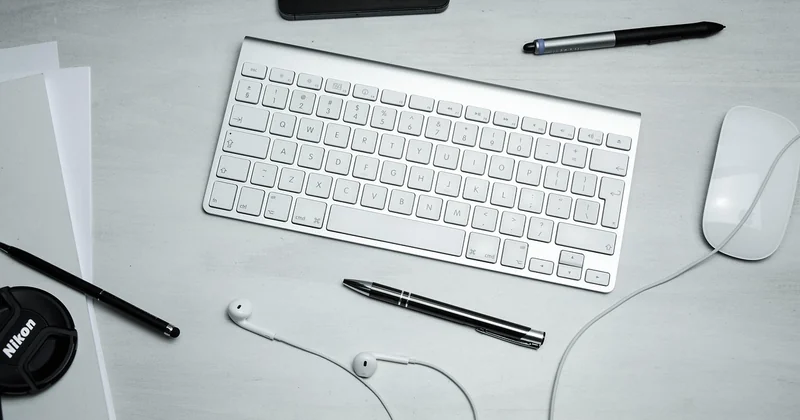
- Zone 1 (within forearm's reach): keyboard, mouse, the one notebook you're using, your water glass.
- Zone 2 (arm's length): phone on silent, a pen cup, the charger, anything you touch a few times a day.
- Zone 3 (out of sight): everything else. Paperwork, spare cables, the stapler you use twice a month.
The magic isn't the zones themselves — it's that Zone 3 forces you to get up when you need something, which breaks the "I'll just grab it and get distracted" loop. I moved my phone to a drawer in Zone 3 and my average focus block went from about 22 minutes to nearly 50. That's not a productivity hack. It's removing an invitation to interrupt yourself.
Cable and clutter management that actually lasts
Every setup looks clean the day you build it. The question is what it looks like on a random Wednesday in month six. Two things keep mine sane: a single power strip mounted under the desk, and velcro ties instead of zip ties (you'll re-cable eventually, and zip ties make you hate yourself). I also keep a small tray for "in transit" items — the mail, a receipt, a note to myself — so loose paper has one home instead of spreading across the surface.
If you're building good habits around your space, the same discipline that keeps a desk tidy keeps a home running smoothly. My home maintenance checklist runs on the exact same principle: a small, repeatable routine beats a big cleanup you dread.
Key takeaway: your desk should have one obvious place for everything, and everything you don't need should be a deliberate reach away.
Light, sound, and the invisible factors
You can have perfect ergonomics and still feel drained by noon if your lighting and sound are wrong. These are the factors people skip because they're not as satisfying to buy as a new chair, and they're often the ones that matter most for sustained focus.

Lighting: face the window, don't fight the glare
The single best free upgrade is desk placement relative to your window. Put your screen perpendicular to the window, not facing it and not with your back to it. Facing the window means glare and eye strain; back to it means your face is in shadow on every call and you'll squint all afternoon. Perpendicular gives you natural light without the fight.
For the darker months, a single warm-toned desk lamp beats overhead lighting for late work. Overhead light keeps your brain in "daytime alert" mode, which is great at 10 AM and terrible at 9 PM. I switch to the lamp after dinner and it's become a reliable signal that the workday is closing.
Noise control without a renovation
You don't need acoustic panels. You need to kill the two or three specific sounds that break your concentration. For me it was a rattling fridge and street noise. A $30 white noise machine and a door draft stopper solved both. If you're on calls all day, a decent USB microphone does more for how you're perceived than any camera upgrade — people forgive a blurry face, not a hollow, echoing voice.
Key takeaway: light and sound are cheap to fix and expensive to ignore. Handle them before you buy another gadget.
Budget vs. premium: what's actually worth the money
I've built both a $300 setup and a $2,000 one. The honest truth is that the gap in how productive I felt was much smaller than the gap in price. Here's how the two compare on the things that actually matter.
| Element | Budget approach | Premium approach | Worth upgrading? |
|---|---|---|---|
| Chair | Used office chair, $80–150 | New ergonomic chair, $500+ | Yes, if you sit 6+ hours |
| Monitor height | Stack of books, $0 | Adjustable arm, $40–90 | Eventually, for flexibility |
| Lighting | Reposition desk, $0 | Quality desk lamp, $60–150 | Yes, in winter months |
| Keyboard/mouse | Whatever you own | Ergonomic set, $100–200 | Only if you have wrist pain |
| Standing desk | Skip it, stand and stretch | Electric sit-stand, $400+ | Nice to have, not essential |
My honest ranking of where money earns its keep: chair first, then lighting, then a microphone if you're on calls, then the monitor arm. The standing desk is genuinely nice, but I used mine standing maybe 90 minutes a day at peak, and I could have gotten most of that benefit by just getting up more often. Don't let anyone tell you it's mandatory.
The one thing I regret buying
A "smart" desk lamp with an app. It connected to my phone, tracked my "focus sessions," and I used the app exactly four times. The lamp itself was fine; the app was a solution to a problem I didn't have. If a product's main feature is an app, ask yourself whether you'd want it without the app. Usually the answer is no.
And if you're going to spend real money, spend it on the thing you touch every single day. That's almost always your chair. Everything else can wait.
Key takeaway: spend on the chair and lighting. Save on the gadgets. The premium stuff is mostly nice-to-have, not need-to-have.
Build the setup you'll actually use
Setting up a home office for maximum productivity isn't a shopping project. It's a slow, slightly boring process of noticing what annoys you and fixing it one thing at a time. My forty-one trips out of the chair on that Tuesday weren't a character flaw — they were a signal. Once I started treating each one as data instead of guilt, the whole thing got easier.
So here's your next action, and I mean literally today: for the next 48 hours, keep a note every time you get up or feel a twinge of irritation at your desk. Don't buy anything yet. Just write it down. At the end of two days, you'll have a personalized list of what's actually broken, and you'll probably find that half of it costs nothing to fix. Start with the free stuff. Then, if you've got $200 to spend, put it into the chair. Your back will thank you in a way no productivity app ever will.
Frequently Asked Questions
How much should I spend on a home office setup?
You can build a genuinely comfortable, functional setup for under $400 if you prioritize correctly. Put most of your budget into the chair, add a cheap monitor stand and a decent desk lamp, and skip the gadgets. The $2,000 setups are nicer, but the productivity difference is far smaller than the price gap suggests.
Is a standing desk worth it for working from home?
It's a nice-to-have, not a necessity. Standing desks help if you actually use the standing mode, which most people don't as much as they expect. You can get most of the benefit by simply getting up and moving every 30–45 minutes. If you have the budget and will genuinely alternate, go for it. If not, don't feel behind.
How do I stop getting distracted in my home office?
Remove the invitations to interrupt yourself. Put your phone in a drawer, close unnecessary browser tabs, and keep only what you're actively using on the desk. Most distraction isn't a willpower problem — it's an environment problem. Change the environment and the willpower requirement drops dramatically.
What if I don't have a separate room for my home office?
Create a boundary anyway. Use a folding screen, a bookshelf, or even a specific chair that you only sit in for work. The goal is to give your brain a clear signal that work has started and, more importantly, that it has ended. A visual or physical boundary does this even in a shared space.
Does the direction my desk faces really matter?
It matters more than people expect, mostly because of light. Position your screen perpendicular to your window so you avoid glare and don't sit in shadow on video calls. Beyond that, facing a wall is often better for focus than facing a busy part of the room, because there's less to look at when your attention drifts.


